Find the right people fast, and keep them moving.
Turn resumes and LinkedIn URLs into searchable profiles, then follow every candidate from submission to onboarding with alerts and ready‑made emails.
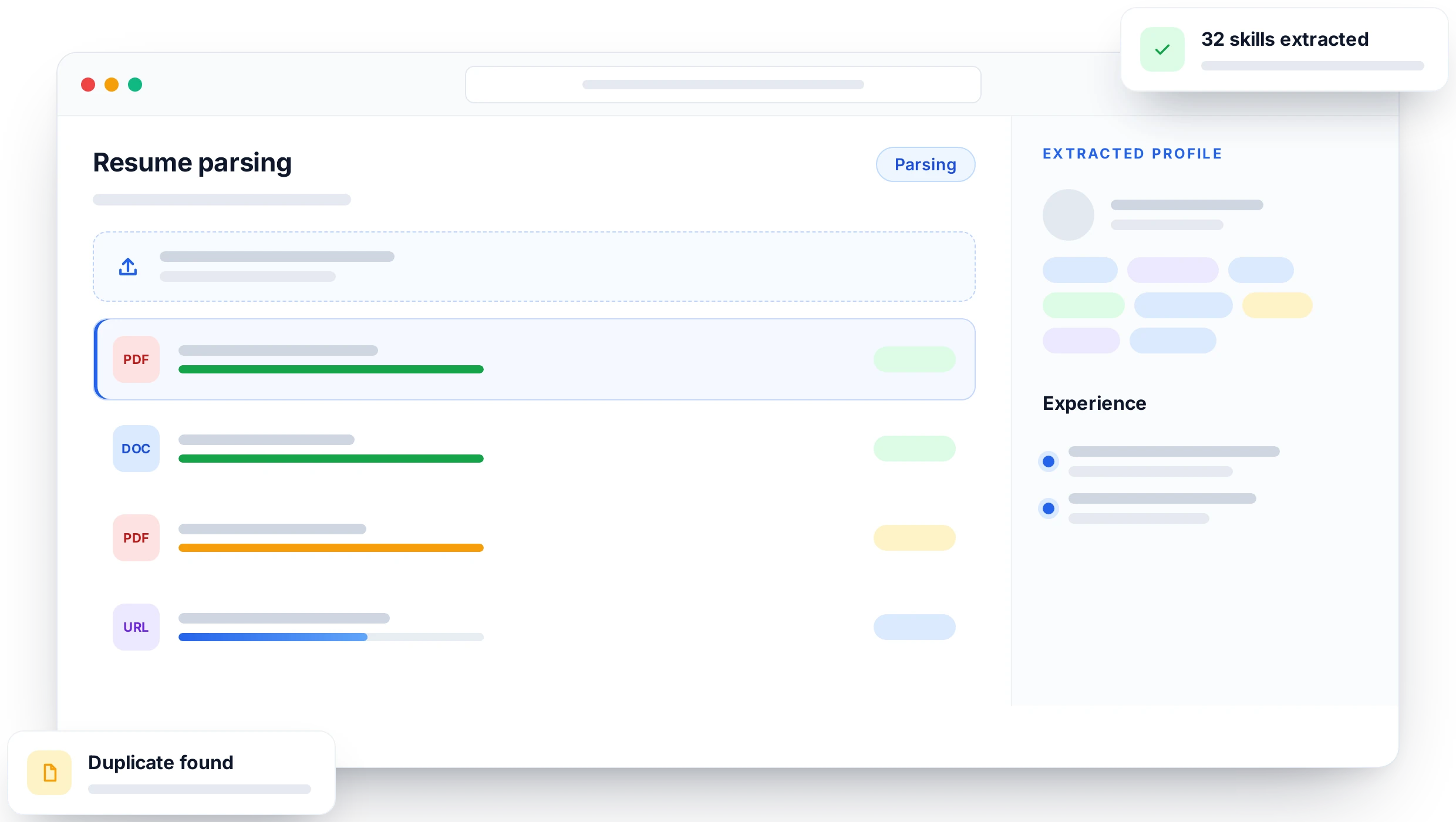
From file to profile without the typing.
Data entry is the slowest part of sourcing. GOrecruitAI removes most of it.
Resume parsing
PDF and DOCX resumes become structured profiles with skills and experience.
Bulk upload
Add a batch of resumes in one go.
LinkedIn URL
Paste a profile link to start a candidate record.
Duplicate check
Check the database before you create a profile, and see a candidate's history before a submission.
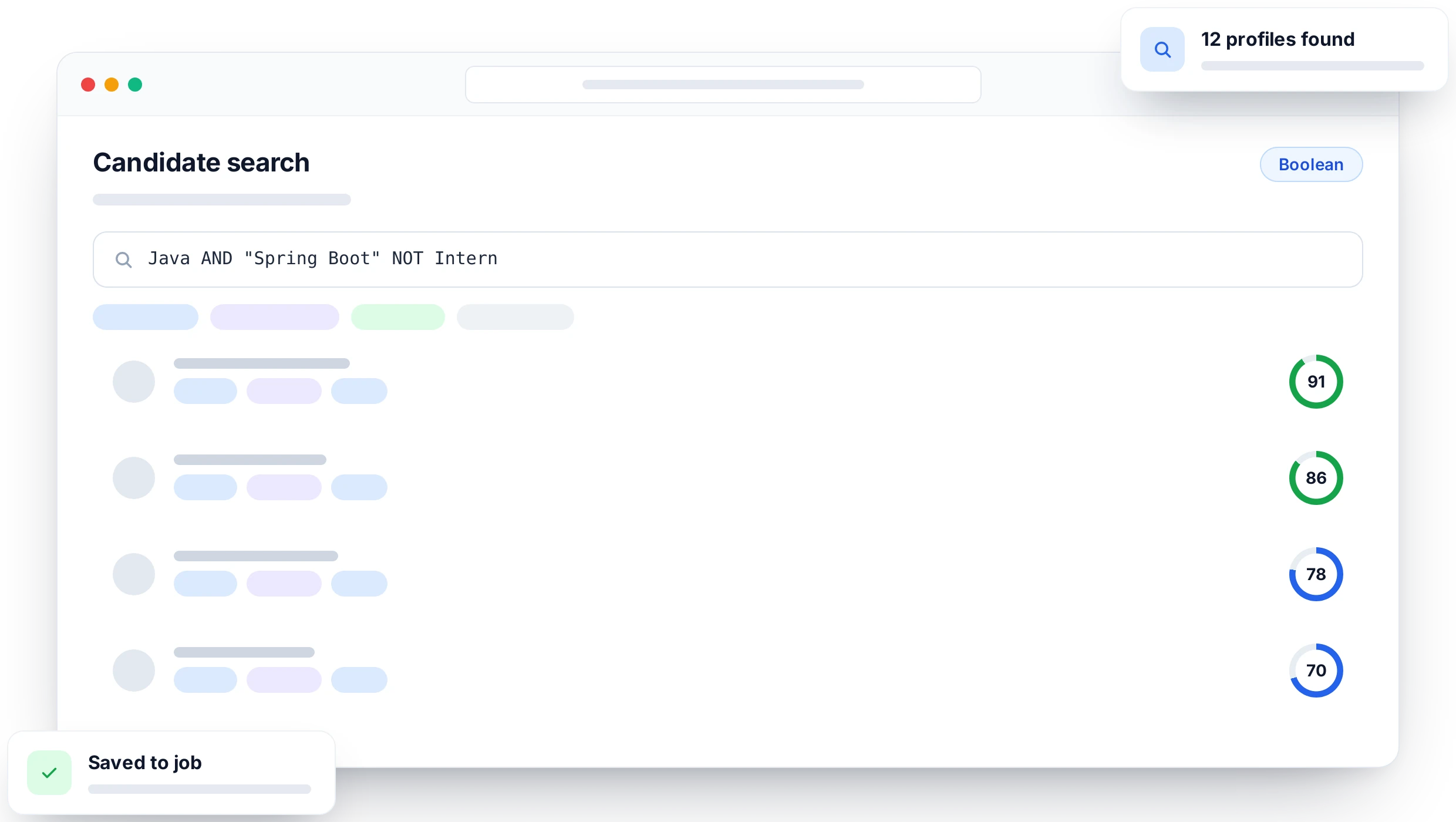
Boolean search
Combine terms with AND, OR and NOT across names, titles and skills.
Search by job
Link a search to an active job to find people who fit that opening.
Find the person you already have.
Many teams sit on thousands of profiles they cannot search well. The candidate directory fixes that.
- Search by name, job title or skill
- Boolean operators for precise queries
- Filters you can stack
- Database and career portal candidates in a single view
One view from first draft to first day.
Six stages, live counts and a clear list of who needs attention.
Stage tracking
Draft, submitted, waiting for interview, interview, onboarded and hold, each with a live count.
Follow‑up alerts
Candidates with no update for more than 48 hours are surfaced, so nobody goes quiet.
Interview schedule
A weekly calendar shows the interviews coming up.
Email templates
More than 35 templates cover invitations, reminders, offers, onboarding and rejections.
Activity history
Status changes and profile edits are logged with the recruiter's name and the time.
Drafts
Unfinished profiles are kept as drafts and can be saved against a job.
Routine emails, already written.
Templates use merge fields such as candidate name and role, so messages are personal without retyping.
- Interview invitation, instruction and reminder emails
- Offer confirmation for contract, full‑time and internship roles
- Onboarding details request
- Right-to-represent (RTR) and vendor emails
- Rejection and approval emails
- Editable subject and body for every template
Email templates ready to use
Follow‑up flag on stalled candidates
Pipeline stages with live counts
Of interviews in one calendar view
Good to know
Which file types can I upload?
PDF and DOCX resumes.
How does duplicate checking work?
Check database looks for an existing profile before you add a new one. Admins can also switch on a pre‑submission check that shows a candidate's history before AI evaluation.
Can we change the email wording?
Yes. Admins can edit the subject and body of each template and insert variables such as candidate name and role.
What counts as a follow‑up?
Submitted candidates, and those waiting for an interview, who have had no update for more than 48 hours.
Is there a record of changes?
Yes. Activity history lists status updates and candidate edits with the recruiter's name and the time.
Try GOrecruitAI ATS free for 30 days.
No credit card required. Prefer a guided tour first? Book a 30‑minute demo and bring a real job description.